> ## Documentation Index
> Fetch the complete documentation index at: https://docs.paymentoptions.com/llms.txt
> Use this file to discover all available pages before exploring further.
# Magento 2
> Integration Guide for Magento 2
 * **Description**: Seamlessly connect the Gateway with Magento 2.
## **Install Extension**
Download the latest Source code zip file from the Payment Options GitHub
( Use the download Link : [https://github.com/paymentoptions/magento2-extension](https://github.com/paymentoptions/magento2-extension) ).
Extract the magento2-extension.zip.
Place the extracted files into `app/code/Agtech/Paymentoptions/` folder under Magento root path
Check your Magento Mode:
Run `php bin/magento deploy:mode:show` to find your mode
If your Magento mode is "production", please run the below commands:
* `php bin/magento cache:clean`
* `php bin/magento cache:flush`
* `php bin/magento setup:upgrade`
* `php bin/magento setup:di:compile`
* `php bin/magento setup:static-content:deploy`
If your Magento mode is "default" (or) "developer", please run the below commands:
* `php bin/magento setup:upgrade`
* `php bin/magento setup:di:compile`
* `php bin/magento setup:static-content:deploy -f`
## **Configure Extension**
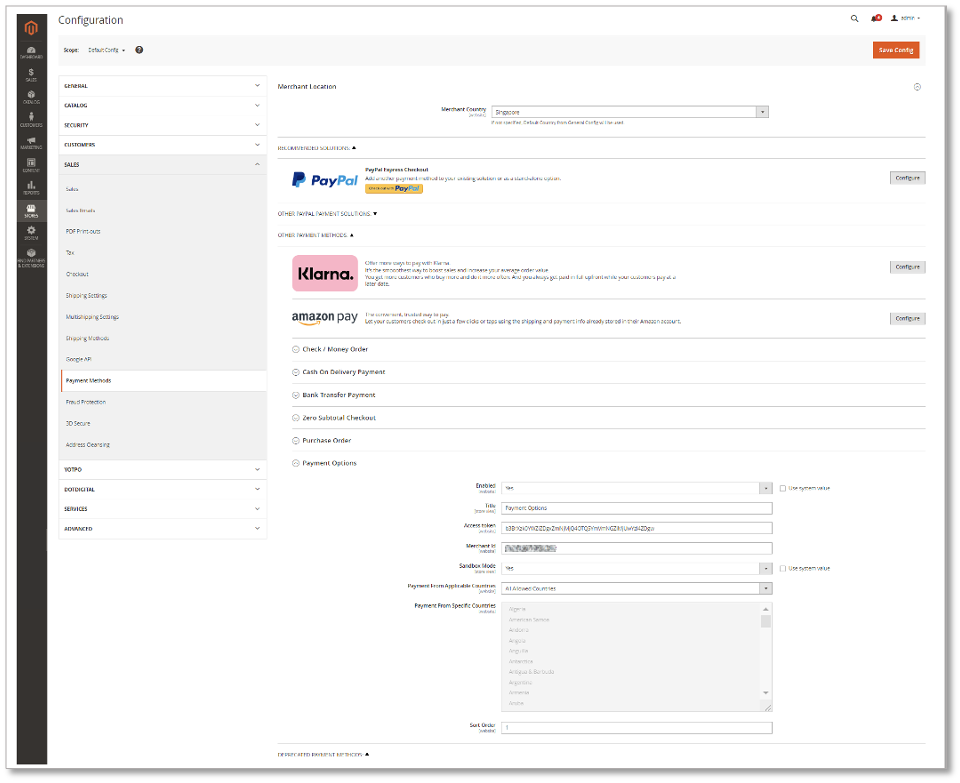
Log in to your Magento Store Backend
Choose Stores on the Admin sidebar to the left. Now go to Settings > Configuration.
In the Configuration page, click on Sales on the left and choose Payment Methods
On the Payment Methods page, navigate to “Payment Options” Payment Section.
* Enabled - select yes to enable the “Payment Options” Payment Method
* Mode - select sandbox or live mode
* Title - This title will show under the payment methods section on the checkout page of Magento
* Access Token - Enter Your `Secret Key` received from Payment Options.
* Merchant ID - Enter Your `Merchant ID` received from Payment Options.
* Debug - select yes to enable the debug, this will log Payment Options API calls under var/log/debug.log file
* Countries - Allow all countries or select specific countries to access this payment method
Click Save Config.
Refresh Magento Cache.
* **Description**: Seamlessly connect the Gateway with Magento 2.
## **Install Extension**
Download the latest Source code zip file from the Payment Options GitHub
( Use the download Link : [https://github.com/paymentoptions/magento2-extension](https://github.com/paymentoptions/magento2-extension) ).
Extract the magento2-extension.zip.
Place the extracted files into `app/code/Agtech/Paymentoptions/` folder under Magento root path
Check your Magento Mode:
Run `php bin/magento deploy:mode:show` to find your mode
If your Magento mode is "production", please run the below commands:
* `php bin/magento cache:clean`
* `php bin/magento cache:flush`
* `php bin/magento setup:upgrade`
* `php bin/magento setup:di:compile`
* `php bin/magento setup:static-content:deploy`
If your Magento mode is "default" (or) "developer", please run the below commands:
* `php bin/magento setup:upgrade`
* `php bin/magento setup:di:compile`
* `php bin/magento setup:static-content:deploy -f`
## **Configure Extension**
Log in to your Magento Store Backend
Choose Stores on the Admin sidebar to the left. Now go to Settings > Configuration.
In the Configuration page, click on Sales on the left and choose Payment Methods
On the Payment Methods page, navigate to “Payment Options” Payment Section.
* Enabled - select yes to enable the “Payment Options” Payment Method
* Mode - select sandbox or live mode
* Title - This title will show under the payment methods section on the checkout page of Magento
* Access Token - Enter Your `Secret Key` received from Payment Options.
* Merchant ID - Enter Your `Merchant ID` received from Payment Options.
* Debug - select yes to enable the debug, this will log Payment Options API calls under var/log/debug.log file
* Countries - Allow all countries or select specific countries to access this payment method
Click Save Config.
Refresh Magento Cache.
 ## **Front View**
It will show on the checkout page under the payment Methods section
Select “Payment Options” payment option: It will show like below:
## **Front View**
It will show on the checkout page under the payment Methods section
Select “Payment Options” payment option: It will show like below:
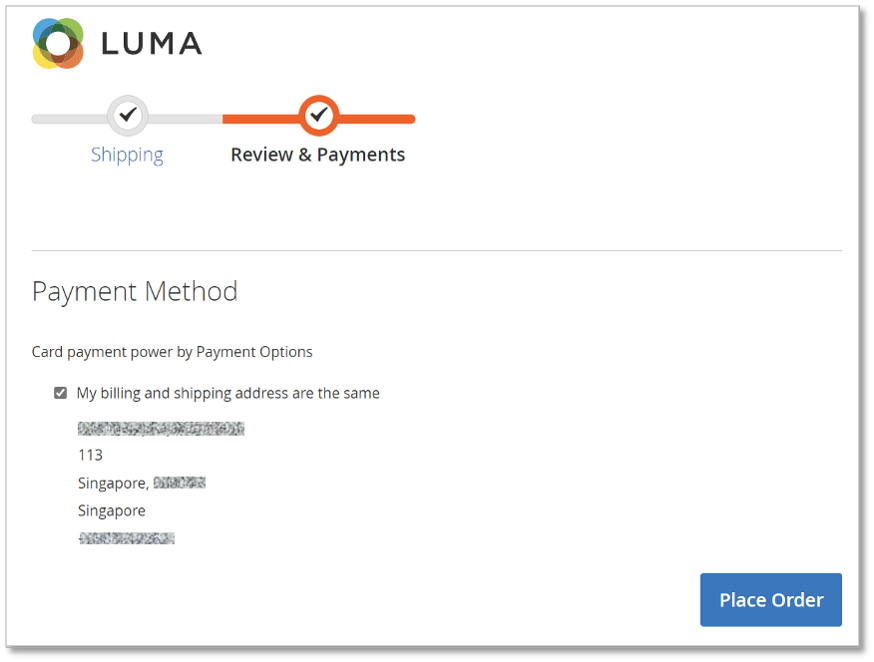 Click on “Place Order” Button: It will redirect you on payment page
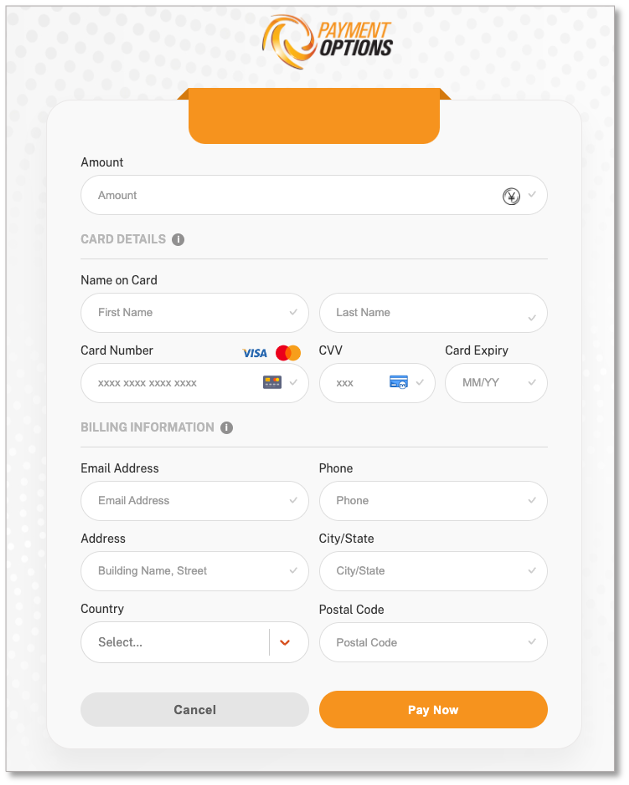 Make payment using any of the options provided above.
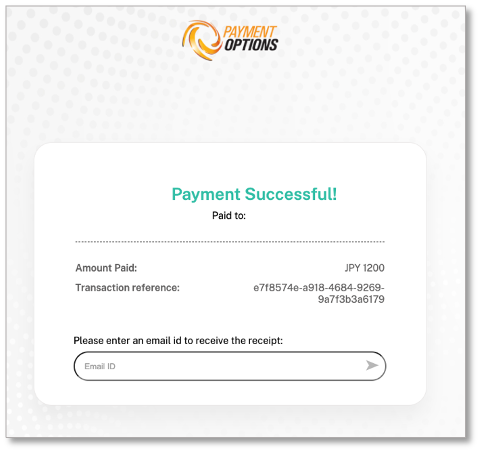
After making a successful payment, it will redirect to the success page.
Make payment using any of the options provided above.
After making a successful payment, it will redirect to the success page.
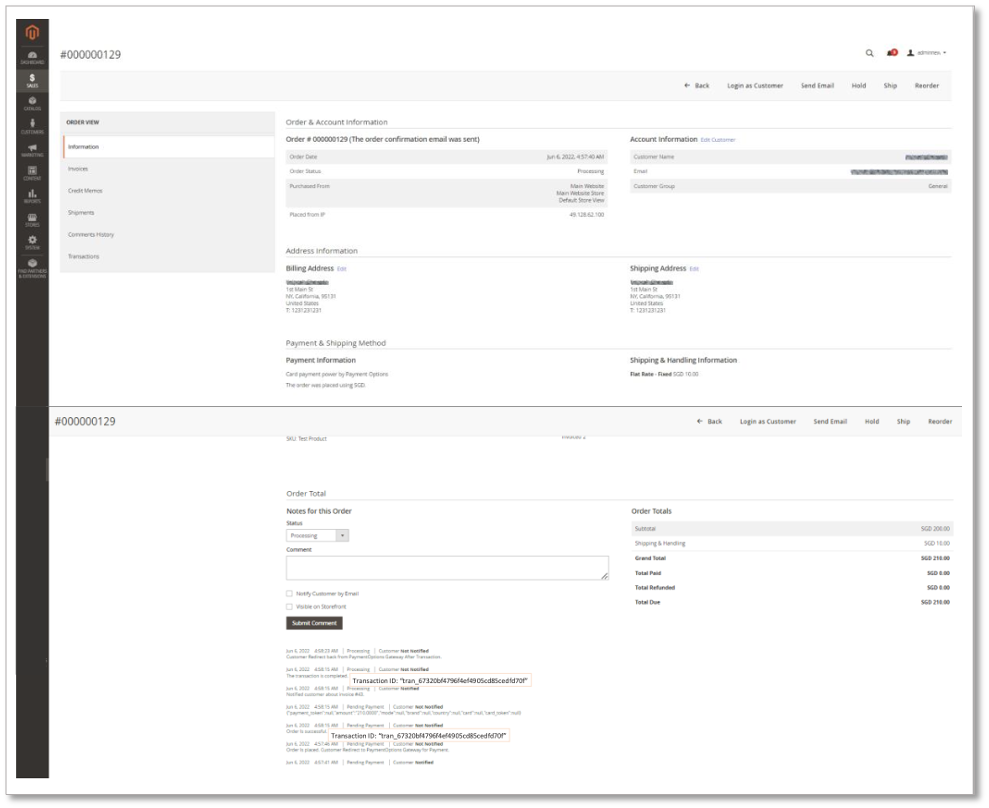
 ### Admin View
 If you need further assistance, please [reach out to our support team](./support/contact). Our team is here to help you troubleshoot and resolve any issues you may be experiencing.